Cue is heads-down.
We've paused to build the next version.
Leave your email and you'll be first
back in the moment it reopens.
House
124 BPM
F minor
Cue is
heads-down.
We've paused to build the next version.
Leave your email — you'll be first back in.
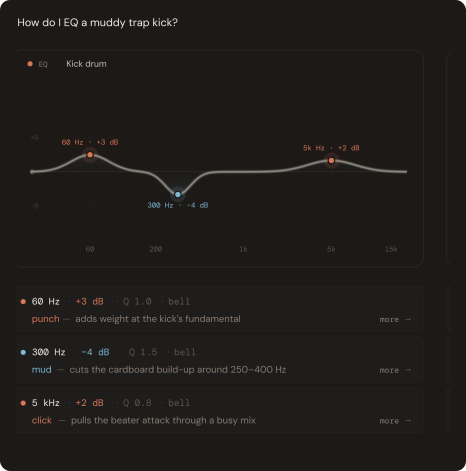
How do I EQ a muddy trap kick?
EQ
60 Hz
·
+3 dB
·
Q 1.0
·
bell
punch
—
adds weight at the kick's fundamental
300 Hz
·
-4 dB
·
Q 1.5
·
bell
mud
—
cuts the cardboard build-up around 250-400 Hz
5 kHz
·
+2 dB
·
Q 0.8
·
bell
click
—
pulls the beater attack through a busy mix
Skip showcase →
Most tools describe what to do.
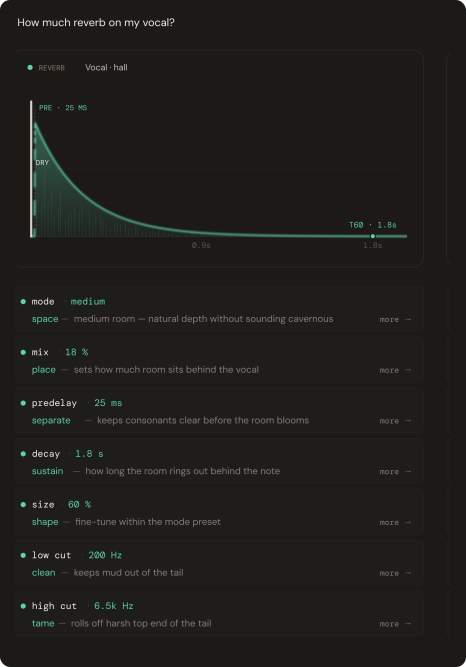
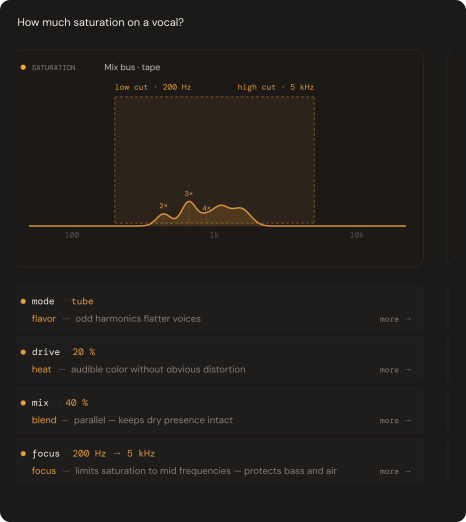
Most tools describe what to do.
Cue shows you.
01 / 06
EQ
Frequency balance
02 / 06
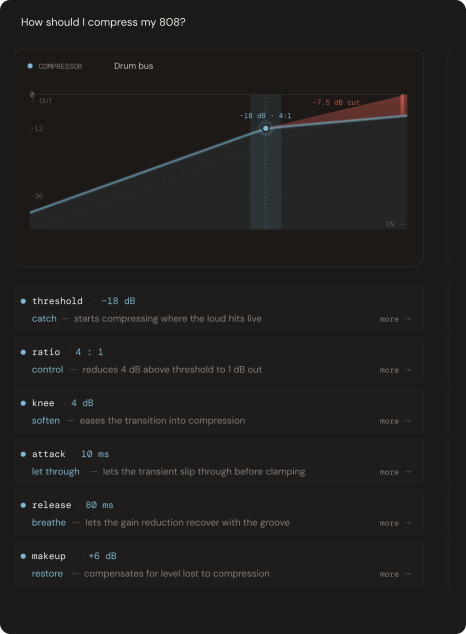
Compressor
Dynamics control
03 / 06
Reverb
Space & depth
04 / 06
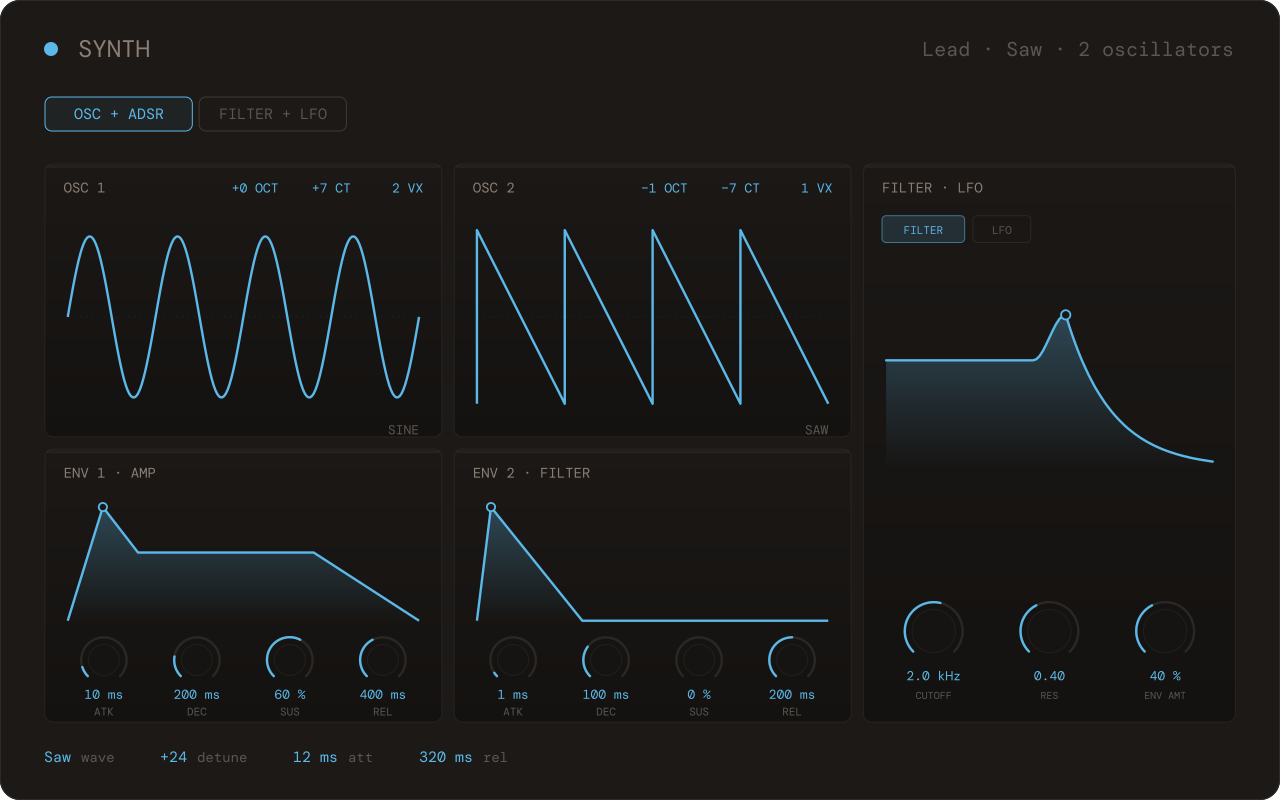
Synth
Sound design
05 / 06
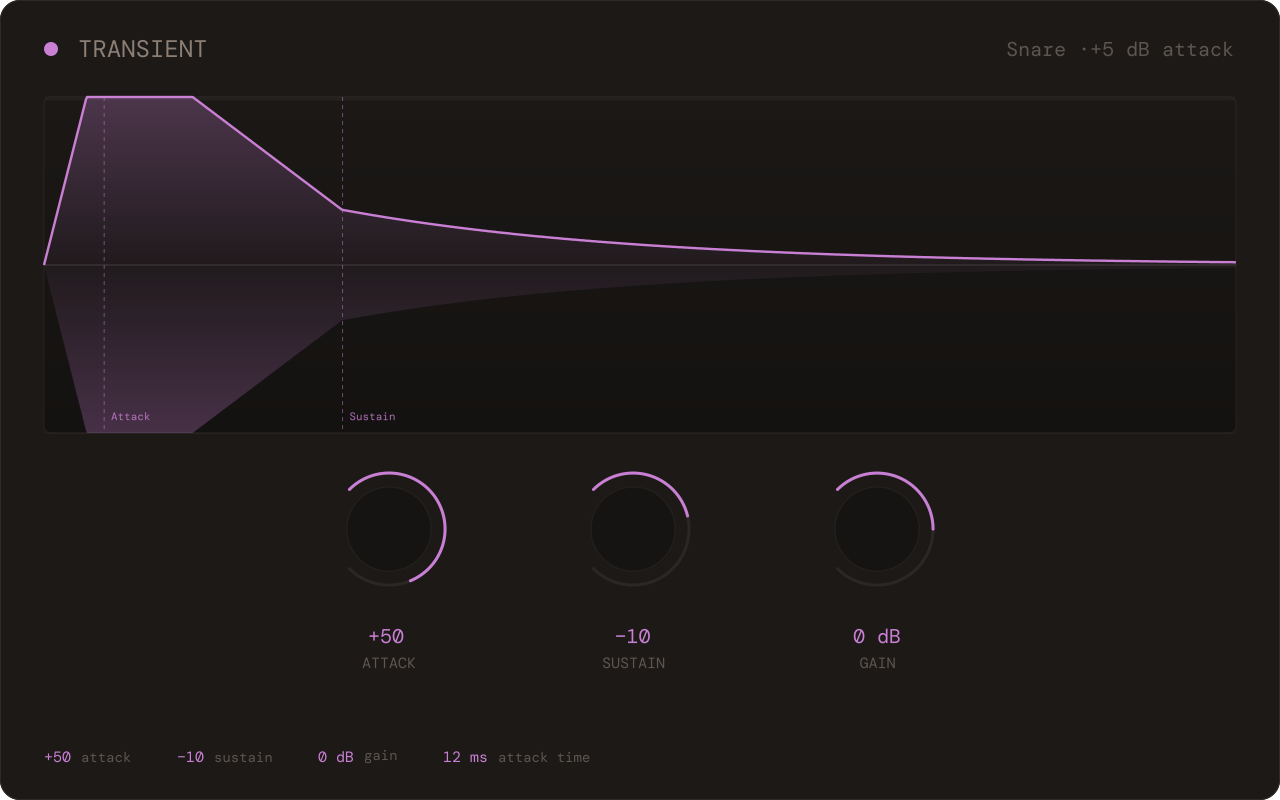
Transient
Attack & punch
06 / 06
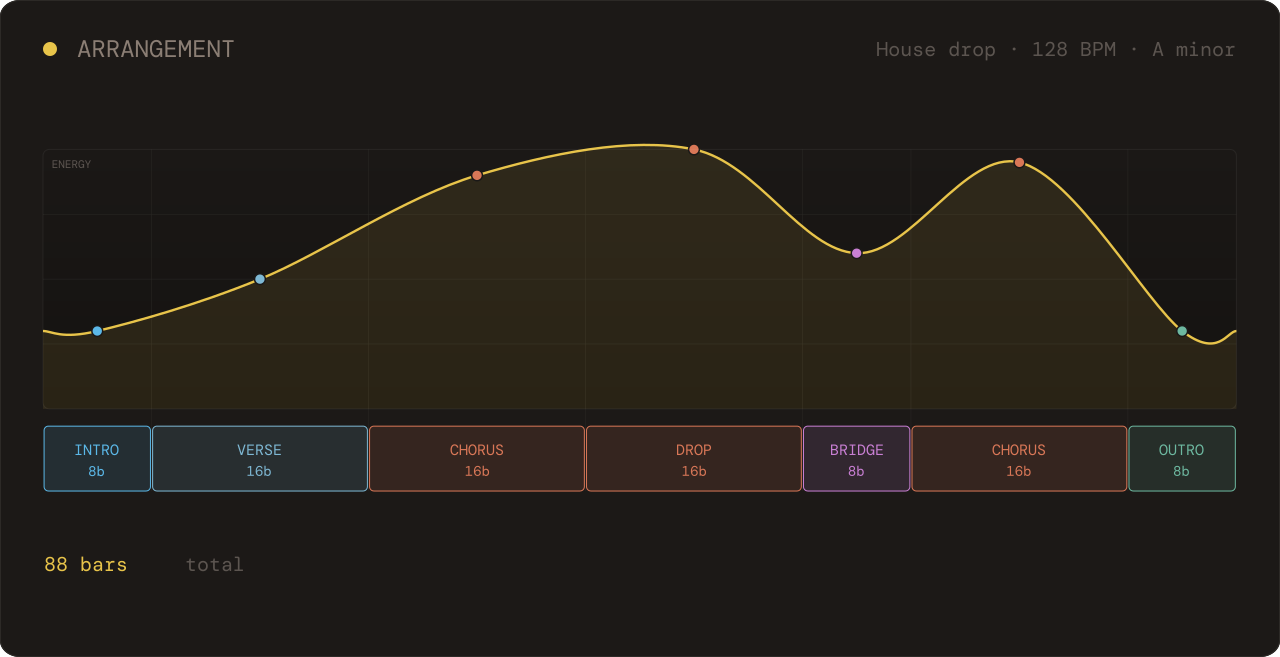
Arrangement
Song structure
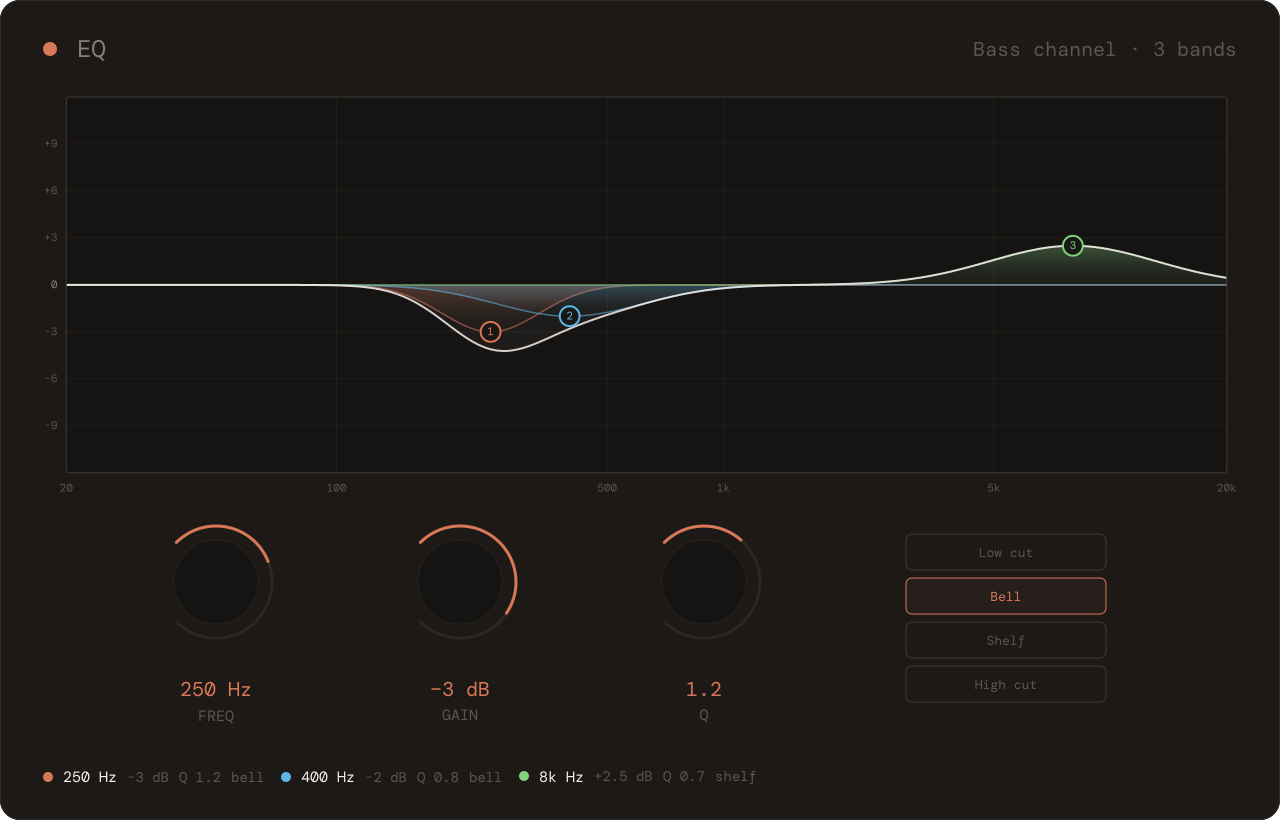
EQ
250 Hz · −3 dB
·
400 Hz · −2 dB
·
8 kHz · +2.5 dB shelf
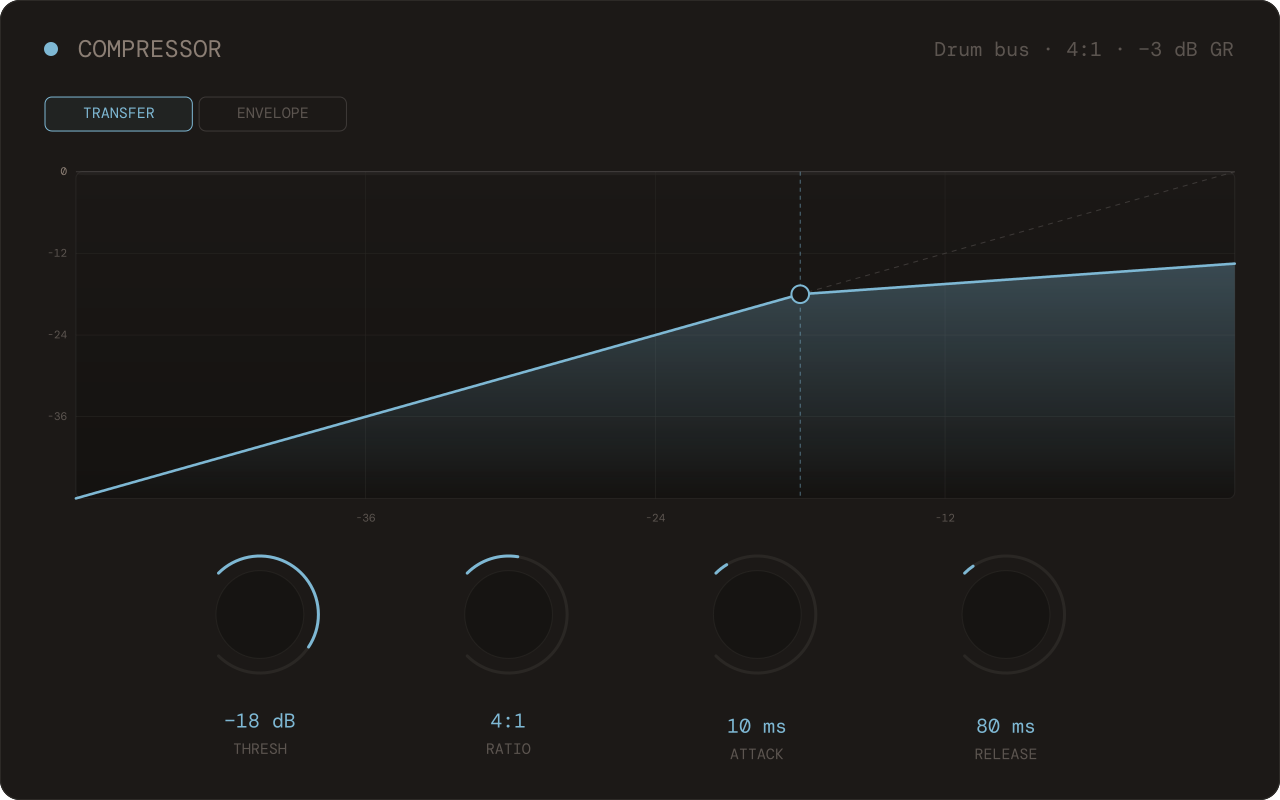
Compressor
−18 dB threshold
·
4:1 ratio
·
10 ms attack
·
80 ms release
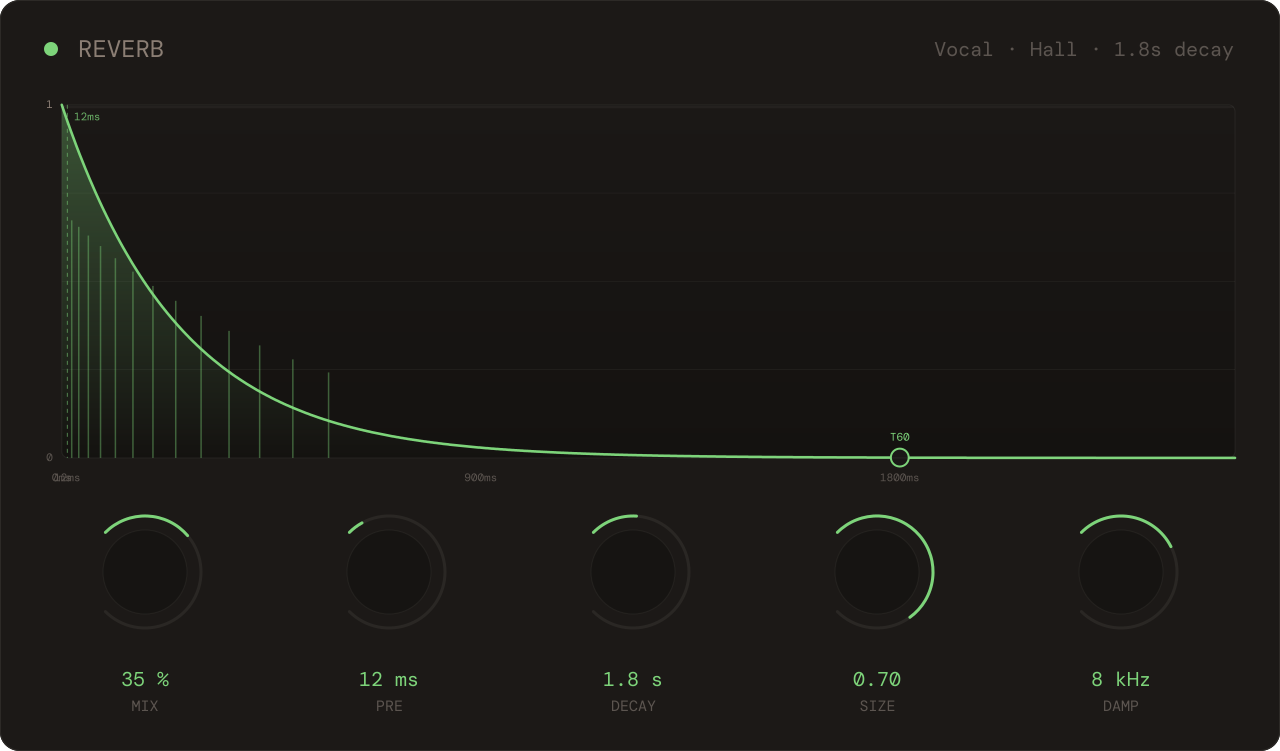
Reverb
1.8s decay
·
12 ms pre-delay
·
180 Hz low cut
·
Hall algorithm
Synth
Saw waveform
·
+24 ct detune
·
Att 12 ms
·
Rel 320 ms
Transient
+5 dB attack
·
−2 dB sustain
Arrangement
88 bars total
·
3 chorus peaks
·
bridge before final
EQ
Frequency balance
Whatever the question, Cue has a visual answer.
01
Cue doesn't generate music for you.
02
Cue doesn't make creative decisions for you.
03
Cue doesn't require you to leave your DAW.
An answer that knows your track.
Without you leaving the session.
Cue exists so you can understand your own creative decisions.
Back soon
Cue's away for a bit. Be first to know when it's back.
A few things people want to know before opening Cue.
Is Cue free?
Yes. No credit card, no trial timer. Paid tiers will come later, but the core will always be free.
How is Cue different from ChatGPT?
General models give you text. Cue gives you a visual answer: EQ curves, compressor settings, chord progressions you can hear. It also knows your genre, BPM, and key, so the advice fits your track, not a generic example.
Do I need to sign up?
Your first 5 messages are free, no account needed. After that, sign in with your email. No password, just a 6-digit code. Takes ten seconds. Sessions sync across devices once you're signed in.
Is Cue a plugin?
Not yet. Right now Cue is a web app. Open it in your browser next to your DAW. A native desktop app is in development, and a plugin is coming after that.
Does Cue work with my DAW?
Yes. Cue runs in the browser alongside whatever you're using: Ableton, Logic, FL Studio, Bitwig, Cubase. No installation, no integration. Just keep it in a second window or on another screen.
Do you train AI on my conversations?
No. Your conversations aren't used to train models. Signed-out sessions stay only in your browser. If you sign in, sessions are saved on EU servers so you can access them from any device, and you can delete everything from your account anytime.
What data do you collect?
Anonymous usage analytics, with consent. EU/EEA visitors see a banner first and can decline. We don't record audio or touch your DAW.
Is it for beginners or experienced producers?
Both. Cue explains the why behind every answer, not just the what. Useful whether you're still building intuition or you've been doing this for years and want a second opinion.
Cue's on a break.
Not for long.
One email when we reopen. Nothing else.
Back soon
Be first back in.
We're rebuilding Cue. Drop your email and we'll tell you the moment it reopens.